
· IT DEV · 6 min read
Google Business Profile connects to GA4 and is managed from Gemini
Google links Google Business Profile with Analytics 4 and Gemini. What it means for Greek businesses, what you can do in practice, and where the limits are.
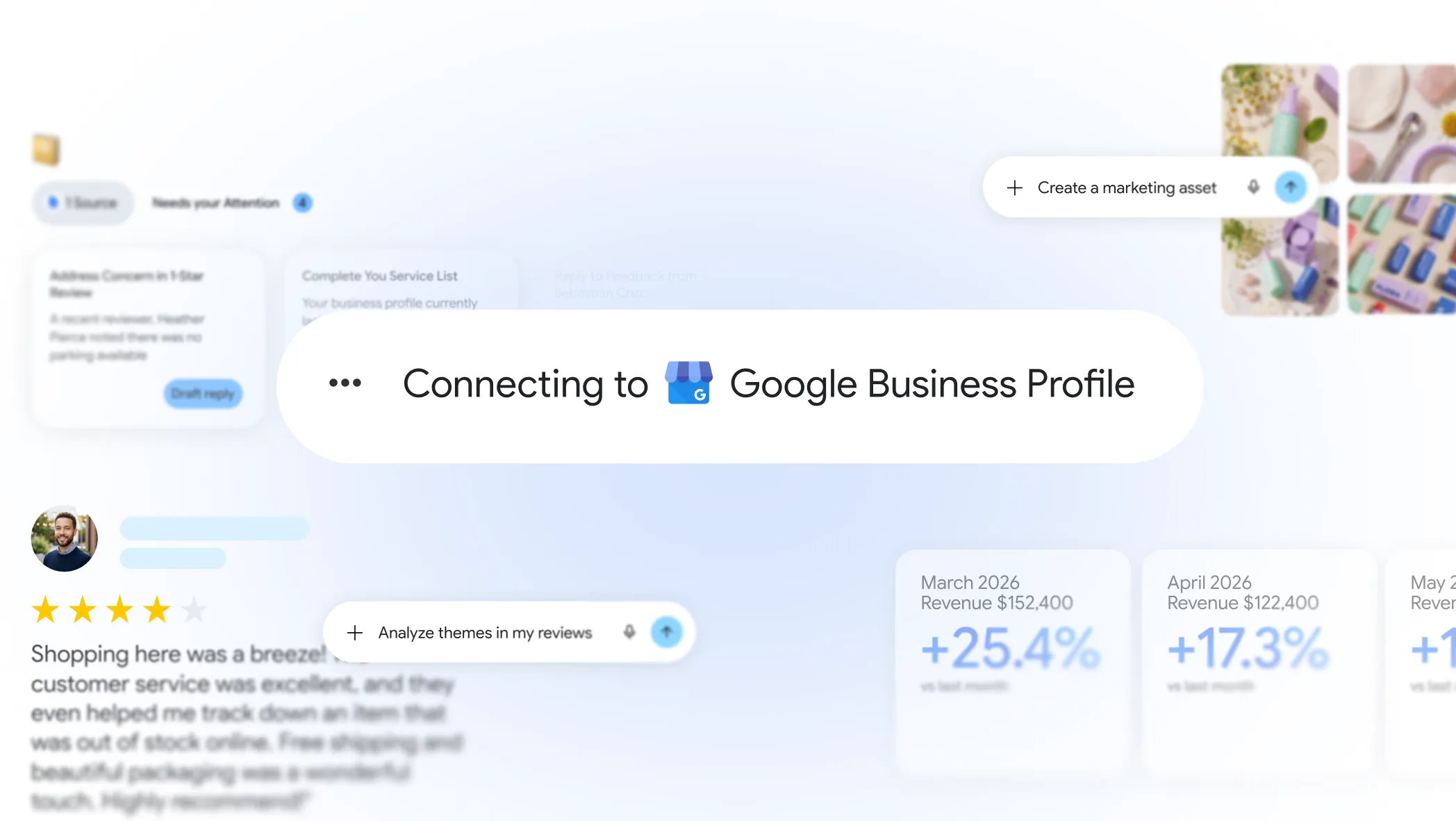
Google no longer treats Google Business Profile as a separate platform you “just have to fill in.” It is adding two connections that change how a business can manage and measure its listing.
On one side, Gemini becomes an assistant that talks to your profile. On the other, profile data flows into Google Analytics 4, next to your website traffic.
For anyone working on local SEO, this is not a minor update. It is two steps toward a unified view: what customers see on Maps, what they do next, and how you can manage it without opening five different tools.
What Google announced
In short, there are two separate but complementary moves:
- Link Google Business Profile with Gemini, so you manage your profile in natural language.
- Link Google Business Profile with GA4, so local data appears in Analytics reports.
Both target the same problem: many small businesses claim their profile but do not update it, do not reply to reviews, and do not know if it “works.” Google wants to reduce that friction.
Gemini as an assistant for Google Business Profile
Inside Gemini you will be able to connect your Google Business Profile and use it like a conversation, not a dashboard with dozens of menus.
What you can do in practice
Instead of hunting for every setting, you can ask directly:
“How did my business do this month?”
Gemini can summarize impressions, direction requests, calls, and overall profile engagement.“Help me reply to the latest review.”
It suggests a draft based on the specific comment so you are not writing from scratch every time.“Change hours for the holidays” or “Post about the new offer.”
Update the profile and posts without clicking through every section manually.
The idea is simple: Gemini gets real context from your business, not generic answers you could find in a blog post.
Business notebooks: organization and reminders
Google also introduced Business notebooks, an extension of Gemini notebooks focused on businesses.
In plain terms, they give you a space where you:
- see what needs immediate action (e.g. a customer question, holiday hours not set),
- get suggestions for offers, pricing, or positioning based on your local market,
- move quickly from idea to action (e.g. campaign concept and performance analysis).
Important for Greece: Business notebooks will not be available in the UK and the EEA, including Greece. The Gemini link to Google Business Profile will roll out, but notebooks may need separate monitoring if Google’s policy changes.
Why it matters for small businesses
Many owners do not “ignore” Google Business Profile. They simply have no time. One hour you are managing operations, the next you are customer service, and then you must reply to a review, upload a photo, and check stats.
Google knows this. That is why it is trying to reduce the load: fewer platforms, more automation, a more natural workflow.
For those of us in Local SEO, it means clients who already maintain their profile will have an even bigger edge. Those who leave it half-finished will look further behind competitors who respond fast, update regularly, and use the new tools.
How to connect Gemini
The rollout started in June 2026, worldwide. You connect one Google Business Profile at a time.
Google promises activation with one tap. When official steps with screenshots are published, we will add them here. For now, if you manage many profiles (e.g. as an agency), expect separate setup per business.
Google Business Profile enters GA4
The second big news is data. Until now, profile performance lived mainly in Insights inside Google Business Profile. Useful, but separate from what you see in Analytics for your site.
You can now link the profile to GA4 and view local data on the same platform as the rest of your digital marketing.
What data appears
After linking, the GA4 Reports menu gets a dedicated Google Business Profile section. There you can see, among other things:
- profile interactions,
- phone calls,
- bookings,
- direction requests,
- website clicks,
- messages,
- menu views.
Data covers the last 6 months from the moment you connect.
Why this helps a local business
Imagine answering questions like:
- How many people saw my profile and then visited the site?
- Which actions (call, message, directions) drive the most value?
- What happens on Maps compared with organic traffic?
With GA4 and GBP in one place, you stop jumping between two dashboards. You get a fuller picture of local presence.
For businesses already investing in SEO, Google Ads, or content, this is valuable. You can connect map visibility with on-site behavior and, ultimately, conversions.
What it does not do (yet)
Let us stay realistic. The connection has limits:
- Aggregated data: you can link many profiles, but separating them by location in reports is not easy.
- Less flexibility for custom filters and reports compared with classic GA4 events.
- Six months of history, not a full archive from day one.
So it does not fully replace Google Business Profile Insights. It complements them and brings them closer to your analytics stack.
How to link Google Business Profile with GA4
You need:
- Editor or Admin role on the GA4 property,
- Owner or Manager role on Google Business Profile.
Start from the GA4 Admin panel:
- Open Admin and go to Product links.
- Choose Google Business Profile.
- Click Link and follow the steps.
- Confirm the connection.
Once complete, check Reports for the new GBP section. If it does not appear immediately, allow a few hours. Sync often takes time.
What both updates mean together
Seen together, the picture is clear:
| Side | Gemini + GBP | GA4 + GBP |
|---|---|---|
| Goal | Management and action | Measurement and analysis |
| What you gain | Faster replies, updates, ideas | Unified local + web data |
| Best for | Time-strapped owner | Marketing manager / agency |
Google is building an ecosystem where Google Business Profile is not “the Maps card,” but a hub for local presence that feeds AI, analytics, and (likely in the future) even more automation.
For Greek businesses, the message is simple: your Maps profile is not optional. It is the first touchpoint for thousands of searches every day. And now Google gives you tools to run it more easily and measure it more accurately.
What you can do today
You do not need to wait for every feature to move:
- Check whether your profile is complete. Categories, photos, services, hours, website link.
- Connect GA4 if you have Admin/Editor access and review the new reports section.
- Try Gemini once the connection appears in your region.
- Build a review routine. Even without AI, fast replies build trust.
If you want help with strategy, see our article on Google Business Profile as a new-customer engine or our Local SEO packages.
Conclusion
Google is finally joining two worlds that lived apart: managing the local profile (via Gemini) and measuring it (via GA4).
For small businesses, that reduces friction. For anyone serious about local marketing, it opens a clearer performance picture.
The question is no longer “do I need Google Business Profile?” The question is: will you use it before your competitors do?
If you want us to review your profile, GA4 reports, and what can improve, contact us.