

· IT DEV · 9 min read
Agentic browsing: Google now scores your site for AI agents
In May 2026 Google added an Agentic Browsing category to Lighthouse and PageSpeed Insights. See what it measures, why there is no score out of 100, and how to pass all three checks, including llms.txt.
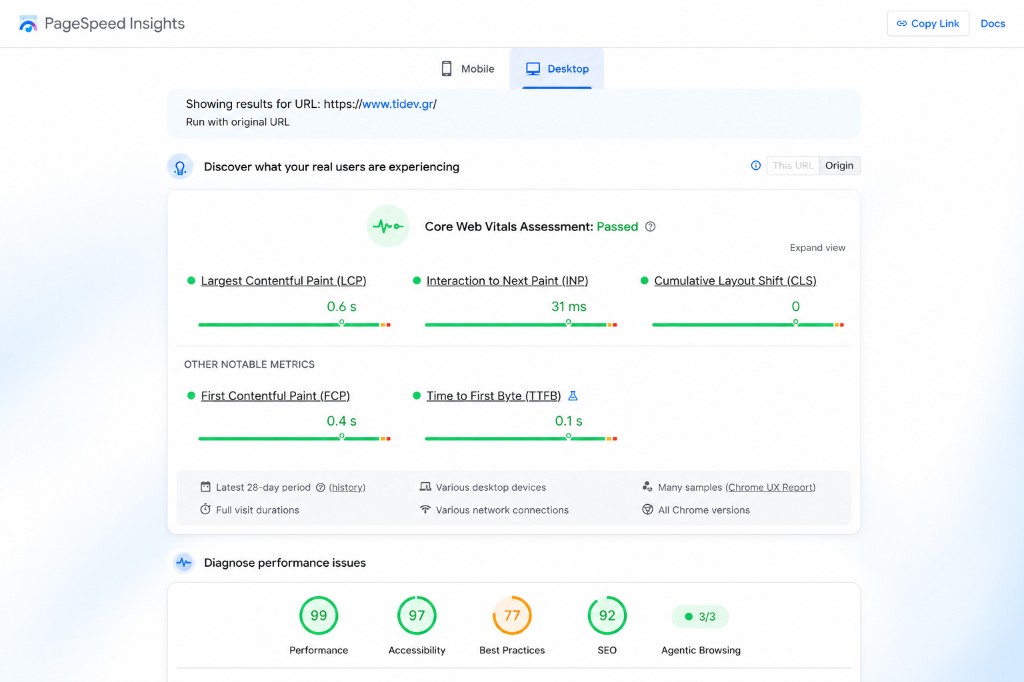
In May 2026 Google quietly added a new category to Lighthouse and PageSpeed Insights: Agentic Browsing. It does not give a score out of 100. It shows a ratio, for example 3/3.
It measures how ready your site is for an AI agent to read, understand, and act on it without a human at the wheel. One of the three checks is llms.txt, a file Google has started to evaluate officially.
What Agentic Browsing is and why Google added it
Run a page in PageSpeed Insights today and you will see something that did not exist a few months ago. Next to Performance, Accessibility, Best Practices, and SEO, a fifth result appears: Agentic Browsing.
Google introduced it without much fanfare. Lighthouse 13.3, released on May 7, 2026, added the category to the default config, and PageSpeed Insights inherited it within two weeks. By the time most people noticed, it was already running on every report.
The category measures something no other bucket touches: how ready your page is for AI agents; assistants that visit websites on behalf of users to compare, summarize, and book appointments.
This is a meaningful shift in what Google measures. Performance is about the human waiting on a slow page. Accessibility is about the human using assistive technology. Agentic Browsing is about software: assistants and agents that now visit sites.
The three checks that actually run
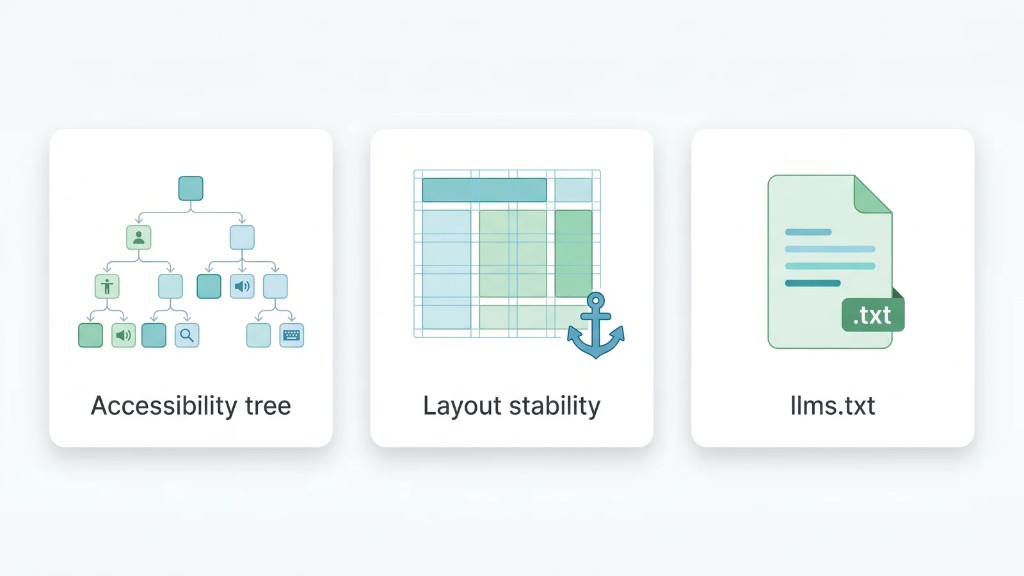
There is already plenty of confusion around this category, with articles inventing audits that do not exist. According to official Lighthouse documentation, the default Agentic Browsing result in PageSpeed Insights is built from three checks.
1. Accessibility tree
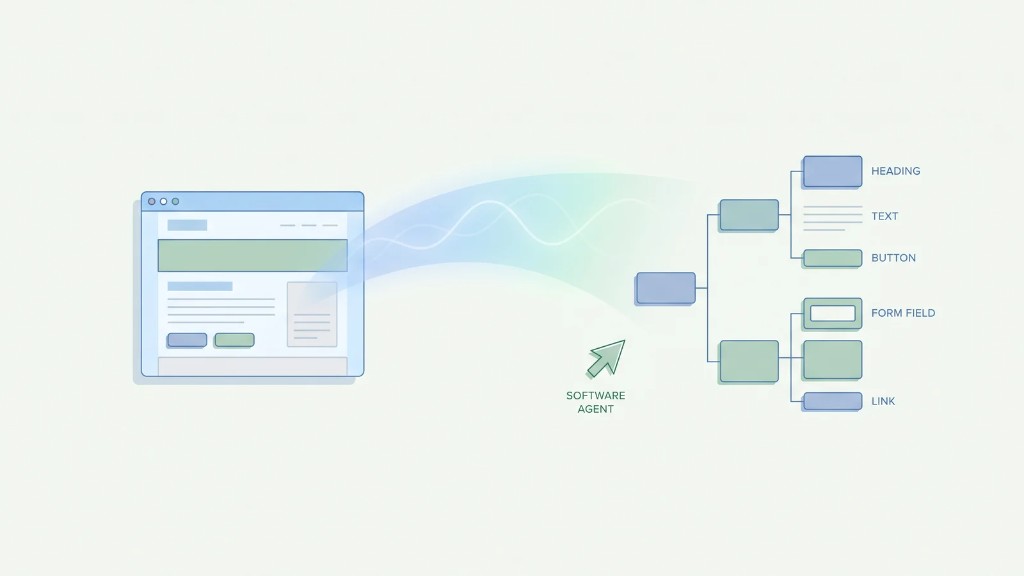
This reuses accessibility work Lighthouse already does, but filters it to what a machine needs. Do interactive elements have proper names? Are roles and parent-child relationships valid? Is anything interactive hidden from the tree?
An agent does not see your pretty buttons. It reads the accessibility tree, the same simplified structure a screen reader uses, because it is the clearest map of what the page contains and what can be clicked.
2. Cumulative Layout Shift (CLS)
You already know CLS as a Core Web Vital, the metric that penalizes pages where content “jumps” during load. Here it is reframed for agents.
Many agents capture a screenshot of a page and reason over it. If the layout keeps changing, the screenshot the agent uses may no longer match the page underneath. A button moves, the agent clicks empty space. Stability is not just policy anymore. It is correctness.
3. llms.txt
The third check looks for an llms.txt file at the domain root and, if found, verifies it is well formed: proper heading, enough content, and links.
This is the check worth your attention, because Google started scoring an AI Discovery File as a readiness signal for agents.
Google now scores an AI Discovery File
The idea behind AI Discovery Files is simple: machine-readable inputs a site publishes so AI systems can discover, interpret, and trust it. Not rankings. Not brand mentions. Inputs.
Now Google’s own performance tooling measures one of them. The llms.txt check inside Agentic Browsing is Google validating an AI Discovery File in the same report as Performance and SEO.
The SEO community noticed with the same surprise. Marie Haynes (Marie Haynes Consulting) pointed out how striking it is that one of the checks focuses on llms.txt. Striking, because much of that community spent the spring arguing the file was not worth the effort.
The truth is more nuanced: llms.txt does narrow, specific work. A diagnostic check inside Lighthouse is exactly that job, officially.
Important clarification: the check rewards a valid llms.txt. It does not prove that major LLMs download and use it for answers. Those are two different claims. What changed is direction: a year ago, publishing an AI Discovery File was a bet on the future web. Today, Google’s tools give you a green tick.
Why there is no score from 0 to 100
The first thing that confuses people is the format. Every other Lighthouse category gives a number out of 100, with colors and weights. Agentic Browsing gives 3/3 or 2/3 and a list of what passed. That is intentional.
“Because standards for the agentic web are still taking shape, the current focus is on collecting data and providing actionable signals rather than a definitive ranking.”
Chrome for Developers, official Lighthouse agentic browsing scoring documentation
Google could invent a “confident” weighted score and let everyone chase it, as the industry did with Performance for years. It did not. In other words, the agentic web has not stabilized enough to grade you, so you get clear signals instead.
There is a second implication. A simple page with no AI work can still pass. Google does not punish a site for lacking agentic features. A simple, valid page with a clean accessibility tree and stable layout can score well even without llms.txt. The category is not a stick. It is a readiness signal.
The fourth check: WebMCP
There is a fourth audit in the category that does not appear in the 3/3, and it is the most forward-looking of all.
WebMCP is a proposed standard that lets a site declare specific actions an agent can call directly: submit a form, start a booking, add to cart. Instead of the agent guessing how your interface works from a screenshot, you give it labeled controls.
It is a good idea, but not ready. The WebMCP audit needs Chrome 150 and origin trial registration to run at all, and it carries low weight while the standard stabilizes. In practice it can fail on almost every site on the web today, even sites that do everything else right. That is why it stays outside the default pass ratio.
Do not worry about WebMCP yet. Watch it. llms.txt went from niche proposal to Lighthouse check in about a year. When WebMCP “graduates,” sites that already think in machine-readable structure will adopt it quickly.
How to pass 3/3
None of the three default checks is exotic. If you build pages properly, you are already most of the way there.
Clean up the accessibility tree
Give every interactive element a real, programmatic name. Buttons that say what they do. Form fields with associated labels. Links with text, not icon-only. Do not hide interactive content from assistive technology with aria-hidden or off-screen tricks.
Good accessibility and good agent readability are the same mechanics. Rare case where one fix pays two bills.
Keep layout stable
Reserve space for images and embeds with explicit width and height so nothing reflows when they load. Avoid banners or ads that push content down. Watch web fonts: a delayed font swap is a classic CLS shift.
The goal is Cumulative Layout Shift close to zero. The same target Core Web Vitals already set, now with double value for agents.
Publish a valid llms.txt
Place llms.txt at the domain root with a clear H1, a useful description of what the site is and offers, and links to key pages.
itdev.gr already has llms.txt at the root. If you want to see how it is structured, you can use it as a reference.
One detail that traps many sites: a rule in robots.txt or a CDN setting can silently block the agents you are trying to attract. Verify that AI crawlers are allowed.
What 3/3 does not mean
It would be easy to wave the perfect ratio and imply it brings AI traffic. It does not, and an honest read is worth more than the headline.
“The agentic browsing category is still marked as under development.”
Matt Zeunert, Founder at DebugBear
That sentence does a lot of work. It means checks can change, scoring can change, and overconfidence in today’s 3/3 is a mistake.
3/3 means an agent can read your page, layout will not betray it, and your llms.txt is valid. It does not mean ChatGPT, Gemini, or Google’s AI surfaces will cite you on every prompt. It does not even prove they download your llms.txt.
Agentic Browsing is the floor you build on, not the building.
What agent-ready means in practice
The three checks stay abstract until you see a site built to pass them before Google named the category.
A fast, stable business page with a clean accessibility build and valid llms.txt is exactly the kind of page the three checks reward. Specific, well-structured content; area pages with real service detail; stable layout without CLS surprises.
At IT DEV we apply this logic from day one on our projects: technical SEO, GEO for AI search, llms.txt, solid content structure, and Core Web Vitals that pass both the human test and the agent test.
Frequently asked questions
What is Agentic Browsing in PageSpeed Insights?
A category Google added to Lighthouse (and PageSpeed Insights) in May 2026. It measures how ready a page is for AI agents, alongside Performance, Accessibility, Best Practices, and SEO. Instead of 0–100 it shows a pass ratio, for example 3/3.
What does the Agentic Browsing category check?
Three default checks: agent-centric reading of the accessibility tree, Cumulative Layout Shift, and presence/validity of llms.txt at the domain root. A fourth check, WebMCP, is experimental and does not count toward the default score.
How do I pass Agentic Browsing with 3/3?
Ensure interactive elements have correct names and roles, keep CLS low, and publish a properly formatted llms.txt with heading, content, and links.
Why is there no 0–100 score?
Google chose a pass ratio because agentic web standards are still evolving. The goal is actionable signals, not a final ranking. Sites without AI features are not penalized.
Does it affect Google ranking?
No. It is a developer diagnostic, not a ranking factor, and the category is explicitly under development. 3/3 is a readiness signal, not a promise of traffic or AI citations.
Do I need llms.txt to pass?
The llms.txt check only flags a problem if the file exists and is malformed. A site without the file does not fail for that reason alone. Still, a valid llms.txt is the clearest way to turn the check green and signal an AI-readable summary of your site.
What is WebMCP?
A proposed standard that lets a site declare actions an agent can call (forms, bookings, etc.). The audit is experimental, needs Chrome 150 and an origin trial, and does not block 3/3.
Want to check if your site is ready for AI agents? Contact us or see our SEO packages.